Frequently Asked Questions
Back
Frequently Asked Questions
LAC CLUB Membership
Orders Related
Payment Related
How do I redeem e-Gift Card?
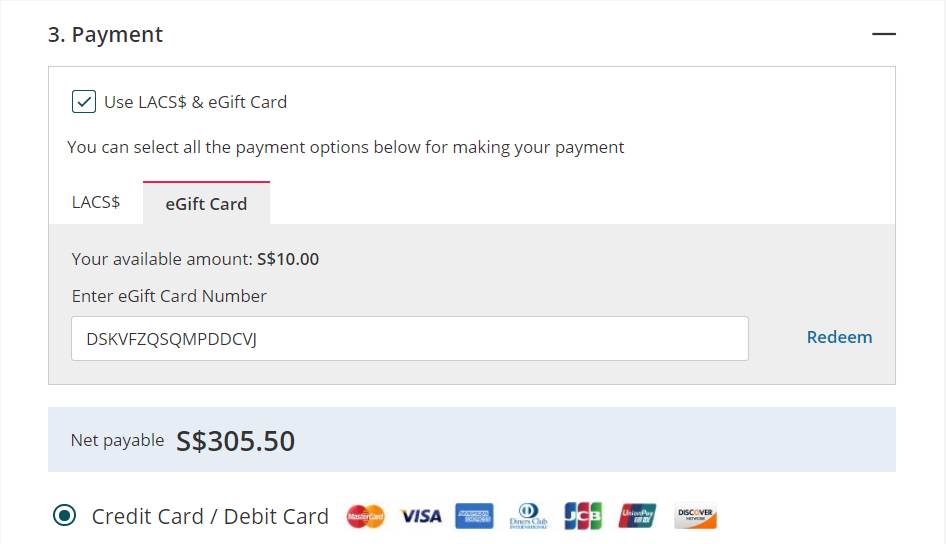
To utilise the eGift card, please follow below steps:
1. Upon check out, tick “Use LACS$ & eGift Card”
2. Select the “eGift Card” tab
3. 3. Enter your unique eGift Card number (refer to our email notification subject “Your LAC eGift Card”)
4. Click 'Proceed' to complete the checkout process
Returns & Refunds